

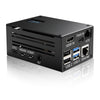



Issue Booting from Mounted ISO via Geekworm X680
-
I am experiencing difficulties booting from a mounted ISO using the Geekworm X680 IP KVM. Despite my efforts, the ISO is not recognized as a boot option in the BIOS on multiple PCs.
Details of the issue:
I have ensured that the ISO is correctly mounted via the KVM and is visible in the KVM interface. In the BIOS, I have enabled
USB Mass Storage Driver Supportand setLegacy USB SupporttoAuto. I have also experimented with bothEnabledandDisabledsettings forCSM Supportand configured theBoot option filtertoUEFI and Legacy.I adjusted the boot order to prioritize the mounted ISO, but it does not appear as an option. I have connected the KVM to various USB ports on different PCs and verified the ISO works on another machine, indicating it is not corrupt.
Despite these steps, the BIOS does not recognize the mounted ISO. It appears there might be a compatibility issue between the PCs and the Geekworm X680 IP KVM, or a specific setting that I am missing.
Could you please provide guidance on additional steps I can take to resolve this issue? I have attached screenshots of my BIOS settings for your reference.
Some bios settings


-
-
-
-
-
