




Audio Setup for Remote Meetings with KVM-A3
-
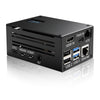
Hi, I recently purchased the Geekworm KVM-A3 for use with PiKVM and I need some guidance on the audio setup for my specific use case:
Setup:
- Local laptop (source) → KVM-A3 + Raspberry Pi 4 → Remote laptop (target)
- Cannot install any software on the remote laptop
- Need to use this setup for video meetingsRequirements:
1. Need bi-directional audio:
- Must be able to speak from my local laptop's microphone and have it work in meeting software on the remote laptop
- Need to hear audio from the remote laptop
- Will be using this primarily for video conferencing (Teams/Zoom/etc.)Questions:
1. What's the recommended configuration for bi-directional audio in this setup?
2. Does USB audio pass-through support microphone input from the local laptop?
3. Are there any specific settings or configurations I need to adjust for optimal meeting audio quality?Any guidance would be greatly appreciated!
-
