




-
 Media gallery
-
 Media gallery
-
 Media gallery
-
 Media gallery
-
 Media gallery
-
 Media gallery
-
 Media gallery
-
 Media gallery
-
 Media gallery
-
 Media gallery


Geekworm X1001-Max High-Power PCIe3.0 M.2 NVMe HAT Support 120W PD/DC 9-20V Input, AI Accelerator and High-Capacity SSD
- Regular price
- $32.00
- Regular price
-
$35.00 - Sale price
- $32.00
- Unit price
- per
Couldn't load pickup availability


Have a question?
Notified by email when this product becomes available
- Description
- Manual
- M.2 HATs
- Shipping Policy
- Reviews
Note: The Raspberry Pi 5, M.2 SSD, active cooler or power supply is not included in the packing list.
Overview
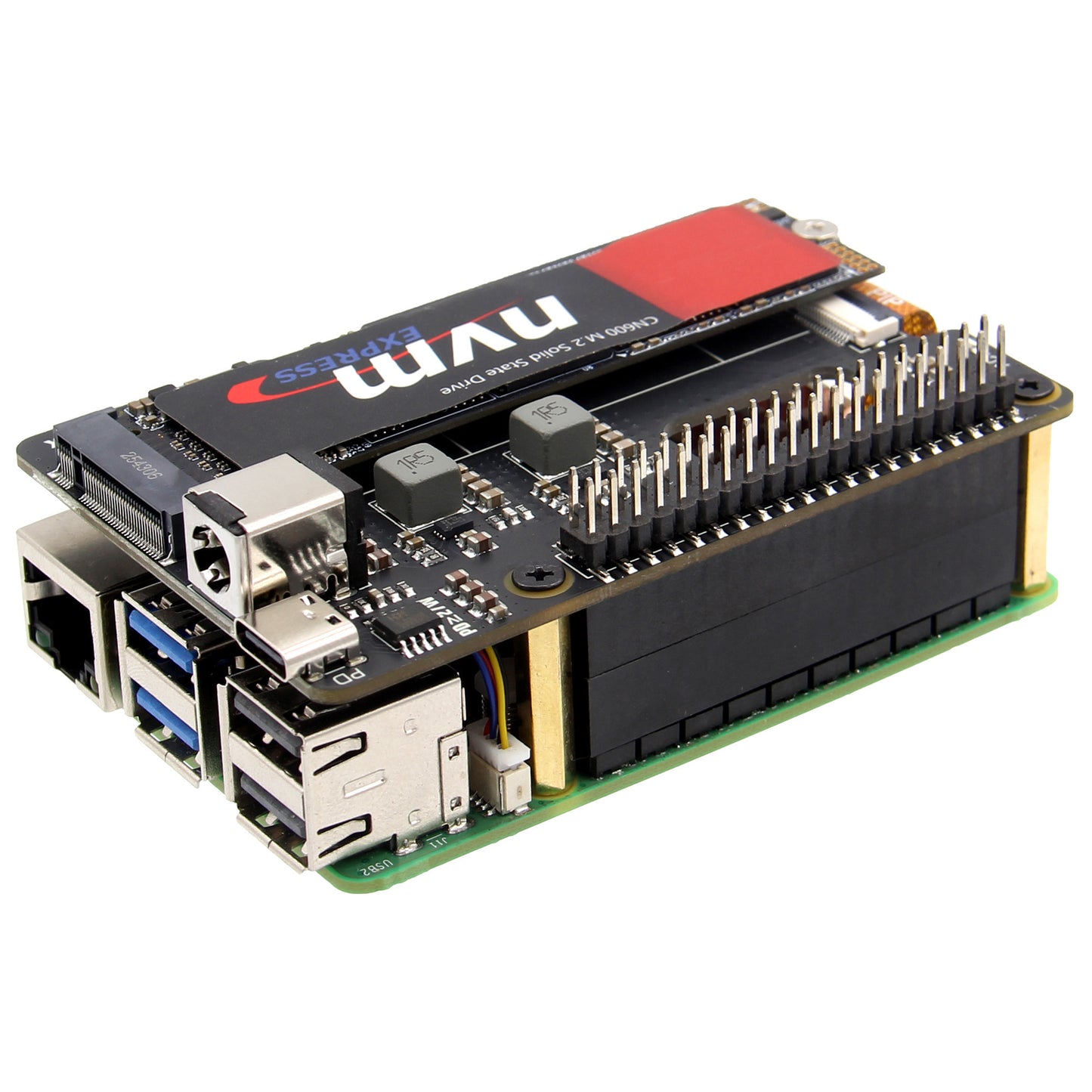
The Ultimate Power & Storage Solution for Raspberry Pi 5. The X1001-Max is a high-performance PCIe expansion board engineered to bridge the gap between your Raspberry Pi 5 and power-hungry peripherals. Whether you are building an AI-driven edge computing node or a high-capacity NAS, the X1001-Max delivers the massive power required for AI accelerators (like Hailo-8) and high-speed NVMe SSDs. With its dual-input design and max 120W power delivery, it simplifies your setup into a clean, single-cable professional workstation.
Features
- Engineered for AI & High-Speed Storage: Specifically designed to drive energy-demanding M.2 devices, including AI acceleration modules (Hailo-8) and professional-grade large-capacity NVMe SSDs that standard HATs cannot handle.
- Unrivaled Dual-Input Power (Up to 120W): Experience ultimate flexibility. Power your entire setup via the USB-C PD port (27W–120W) or the industrial DC Jack (9–20V). It’s perfect for both desktop use and integrated industrial applications.
- Dual 8A High-Current Delivery: Equipped with efficient DC-DC converters, it simultaneously delivers a stable 5.1V/8A to your Raspberry Pi 5 and 3.3V/8A to your M.2 device. No more low-voltage warnings or disk disconnects.
- PCIe 3.0 Speed Boost: Supports PCIe 3.0/2.0 interfaces, unlocking data transfer speeds up to 8 Gbps. Experience lightning-fast boot times, rapid file access, and smooth AI data processing.
- Thermal-Optimized & Stackable: The compact, top-mount design features a dedicated PCB heat-dissipation slot. It is fully compatible with the official Pi 5 passive cooler and supports the X-FAN40 PWM Fan HAT for active cooling under heavy workloads.
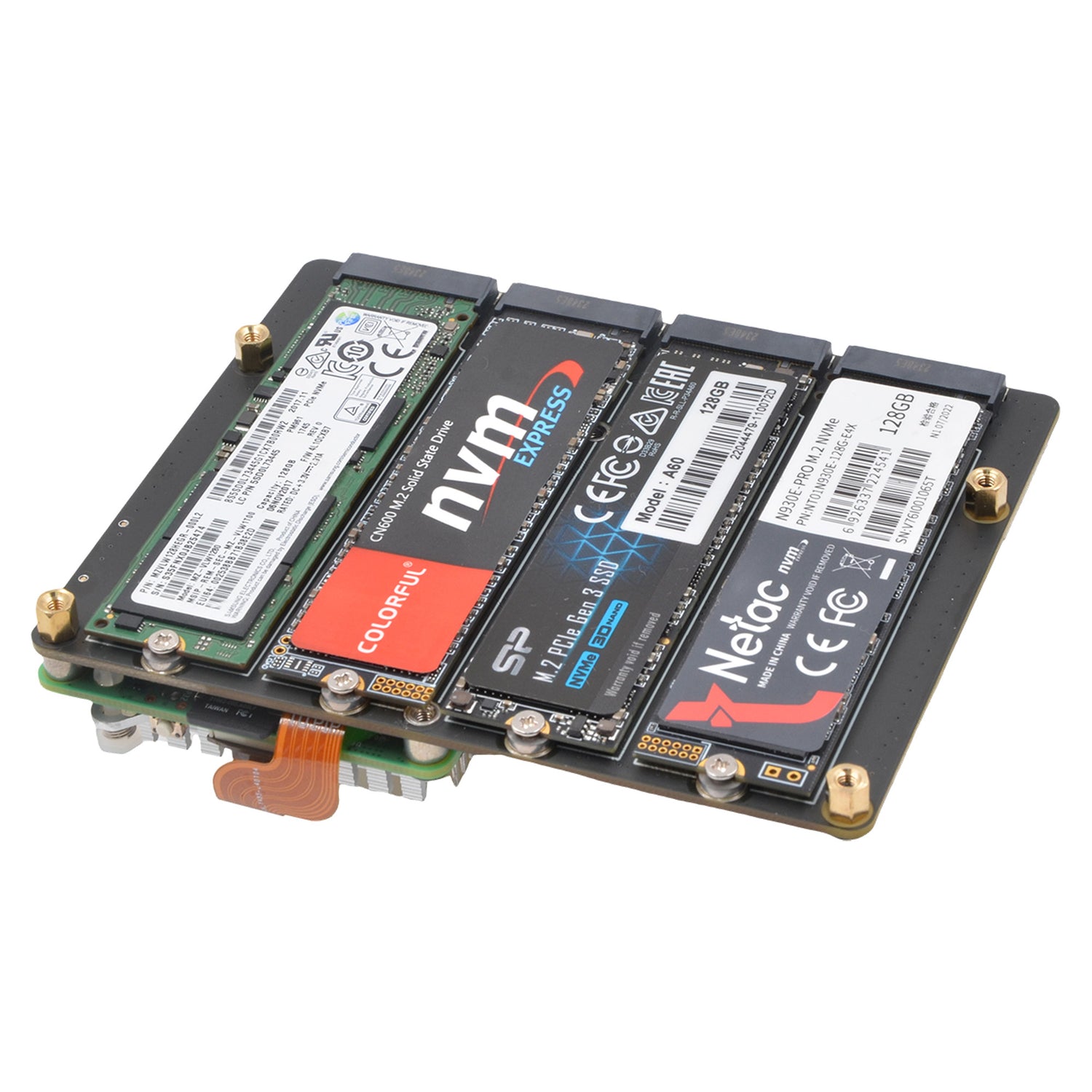
- Universal M.2 SSD Compatibility: A versatile mounting system supports all common M.2 NVMe SSD lengths: 2230, 2242, 2260, and 2280.
How to Power
-
USB-C Input: PD 27W–120W (65W/100W PD Power Supply Recommended)
OR -
DC Jack Input: 9V–20Vdc via 5.5x2.1mm Jack (12V 5A Power Adapter Recommended)
⚠️ Safety Note: Connect only ONE power source at a time.
| Power Rail | X1001-Max | Standard M.2 HAT | Why it Matters? |
| RPi 5 Supply | 5.1V / 8A | 5.1V / 5A | Supports high-load CPU + USB devices |
| M.2 Supply | 3.3V / 8A | 3.3V / 3A | Crucial for AI modules & Enterprise SSDs |
| Total Input | Up to 120W | 27W | Future-proof for all PCIe expansion |
Why 8A? > High-performance AI modules and large-capacity NVMe SSDs often experience "Inrush Current" (sudden power spikes). A standard 3A or 5A supply may cause system instability, data corruption, or AI task failure. The X1001-Max's 8A headroom ensures rock-solid stability for mission-critical edge computing.
Packing List
- 1x X1001-Max V1.0 PCIe expansion board
- 4x M2.5x20mm F/F SpacerS
- 8x M2.5x5mm x8 Screws
- 2x PCIe FFC cable 30mm
- 1x SSD Copper Pillar
- 1x M2x4mm Screw
Refer to: https://wiki.geekworm.com/X1001-Max
Please email to us at info@geekworm.com if you have other questions.
After the release of the Raspberry Pi AI Kit, we tested four PIPs: X1001, X1004, X1011, and M901. X1001, X1004, X1005 and M901 etc. all support the hailo-8 ai accelerator, but X1011 does not.
It should be noted that X1004 and X1005 uses ASMedia ASM1182e PCIe switch, it can't support PCIe Gen 3 speed, so even though we forced to enable PCIe Gen 3.0 setting in Raspberry Pi 5, it is limited by ASMedia ASM1182e PCIe switch, and speed is still PCIe Gen 2.0 5Gbps speed. when you use an hailo-8 ai accelerator, Raspberry Pi Fundation highly recommends using PCIe 3.0 to achieve best performance with your AI Kit.
Our tentative conclusions are as follows:
- If you need to use hailo-8 ai accelerator with high performance, it is recommended to use X1015/X1002/X1003/M901/ the official M.2 HAT+ etc. When choosing these PIP boards, you should focus on whether there is a conflict between the camera cable and the PIP board installation, and enable PCIe3.0 to use hailo-8 ai accelerator. At the same time, you need to prepare an SD card as the system disk.
- If you don't care about the high performance brought by PCIe 3.0, then you can consider using X1004, so that you can use any socket of X1004 to install NVME SSD as the system disk, and another socket to install hailo-8 ai accelerator, so as to have both.
| Model | Features | Mounting Position | SSD Size | Matching Case | Matching Cooler | Support Hailo-8 AI Accelerator |
|---|---|---|---|---|---|---|
| X1000 |
|
Top |
|
Not tested | ||
| X1001 |
|
Top |
|
Yes | ||
| X1002 |
|
Bottom |
|
Not tested | ||
| X1003 |
|
Top |
|
Not tested | ||
| X1004 |
|
Top |
|
Yes | ||
| X1015 |
|
|
|
Yes | ||
| X1005 |
|
Bottom |
|
Yes | ||
| X1011 |
|
Bottom |
|
No Support | ||
| M901 |
|
Top |
|
Yes | ||
| Q100 |
|
Top |
|
Not tested | ||
| Q200 |
|
Top |
|
Not tested | ||
| M300 |
|
Top |
|
Not tested | ||
| M400 |
|
Top |
|
Not tested |
We send orders to worldwide with tracking number.
For detail refer to Shipping Policy