


LVDS2HD macbook issue | Geekworm's Forum

LVDS2HD macbook issue


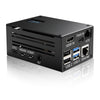
  • Hi, I bought an LVDS2HD board:
    https://geekworm.com/products/lvds2hd

    I connected it to my MacBook motherboard (from a non-Retina model with a Full HD LVDS display), but it isn’t working.

    At first, I thought there was a problem with the connection. However, I bought an HDMI2LVDS adapter for this display panel, connected it to the LVDS2HD board, and everything worked fine. With the signal from the MacBook, though, it still doesn’t work.

    I’ve tried all the steps on the wiki page, but I still only get a black screen.

    Here is the debug log I obtained:

    UART init 115200 8n1.
    IT6263+ STM8S005, HDMI, with Audio. Firmware is programmed by QQ2073196958. 2025-01-04
    IT626X_BASE_M1_MYSON_V114
    
    OP1=0, OP2=1, OP3=1, OP4=1, OP5=1, OP6=1.
    Bits =0, Ports=1, Mapping=1, Audio=1, Swap=0.
    IT626X is detected!
    Init as HDMI_1080p60.
    Application start.
    AV_Mute 9: lvds unlock,==========Set AV Mute============
    AV_Mute 9: lvds unlock,==========Set AV Mute============
    AV_Mute 9: lvds unlock,==========Set AV Mute============
    AV_Mute 9: lvds unlock,==========Set AV Mute============
    Reset LVDS
    PCLKErrorCnt found =1
    InputPclk =360
    LastInputPclk =0
    AV_Mute 6: Input timing unstable:
    ==========Set AV Mute============
    ==================reset video=====================
    Error, HTotal = 1, VTotal = 1
    Error, H_Active0 = 4007, V_Active0 = 1046
    InputPclk =360
    **SSCPFIFO overflow**
    AV_Mute 6: Input timing unstable:
    ==========Set AV Mute============
    ==================reset video=====================
    Error, HTotal = 2080, VTotal = 1201
    Error, H_Active0 = 1920, V_Active0 = 0
    InputPclk =358
    **SSCPFIFO overflow**
    AV_Mute 6: Input timing unstable:
    ==========Set AV Mute============
    ==================reset video=====================
    Error, HTotal = 2080, VTotal = 1201
    Error, H_Active0 = 1920, V_Active0 = 0
    InputPclk =360
    **SSCPFIFO overflow**
    AV_Mute 6: Input timing unstable:
    ==========Set AV Mute============
    ==================reset video=====================


  • I also connected pin R19 on the board because this is a 6-bit signal.

    MacBook: A1297, 17-inch, Mid 2009

    Connection schema:

    1 GND                       = not connected
    2 PP3V3_SW_LCD              = not connected
    3 PP3V3_SW_LCD              = not connected
    4 PP3V3_S0                  = not connected
    5 BKL_SYNC                  = not connected
    6 LVDS_DDC_CLK              = not connected
    7 LVDS_DDC_DATA             = not connected
    8 LVDS_CONN_A_DATA_N<0>     = 1  LVDS_O_CH0-
    9 LVDS_CONN_A_DATA_P<0>     = 2 LVDS_O_CH0+
    10 GND                      = not connected
    11 LVDS_CONN_A_DATA_N<1>    = 3 LVDS_O_CH1-
    12 LVDS_CONN_A_DATA_P<1>    = 4 LVDS_O_CH1+
    13 GND                      = 7 GND
    14 LVDS_CONN_A_DATA_N<2>    = 5 LVDS_O_CH2-
    15 LVDS_CONN_A_DATA_P<2>    = 6 LVDS_O_CH2+
    16 GND                      = not connected
    17 LVDS_CONN_A_CLK_F_N      = 8 LVDS_O_CLK−
    18 LVDS_CONN_A_CLK_F_P      = 9 LVDS_O_CLK+
    19 GND                      = not connected
    20 LVDS_CONN_B_DATA_N<0>    = 12 LVDS_E_CH0-
    21 LVDS_CONN_B_DATA_P<0>    = 13 LVDS_E_CH0+
    22 GND                      = not connected
    23 LVDS_CONN_B_DATA_N<1>    = 15 LVDS_E_CH1-
    24 LVDS_CONN_B_DATA_P<1>    = 16 LVDS_E_CH1+
    25 GND                      = not connected
    26 LVDS_CONN_B_DATA_N<2>    = 18 LVDS_E_CH2-
    27 LVDS_CONN_B_DATA_P<2>    = 19 LVDS_E_CH2+
    28 GND                      = 14 GND
    29 LVDS_CONN_B_CLK_F_N      = not connected
    30 LVDS_CONN_B_CLK_F_P      = not connected
    31 LED_RETURN_1             = not connected
    32 LED_RETURN_2             = not connected
    33 LED_RETURN_3             = not connected
    34 LED_RETURN_4             = not connected
    35 LED_RETURN_5             = not connected
    36 LED_RETURN_6             = not connected
    37 UNCONNECTED              = not connected
    38 PPVOUT_S0_LCDBKLT        = not connected
    39 PPVOUT_S0_LCDBKLT        = not connected
    40 PPVOUT_S0_LCDBKLT        = not connected

  • Hi Ilia,

    Thank you for providing the detailed information and debug log.

    We checked this issue with the original hardware design engineer. The MacBook motherboard may need to detect the original LCD panel before it outputs a valid LVDS signal.

    Please check whether the original display cable contains any communication lines in addition to the LVDS signal pairs, such as I²C/DDC lines. In the wiring information you provided, LVDS_DDC_CLK and LVDS_DDC_DATA are not connected. If these lines are present in the original display cable, it is very likely that the MacBook motherboard needs to communicate with and detect the display panel first. Without this detection, it may not output a valid and stable LVDS signal.

    Please also note that every LVDS differential pair, including the clock pairs, must be connected using twisted-pair wires and kept as short as possible. Connecting the positive and negative signals with separate loose wires may cause signal interference and unstable timing.

    Please check the original panel detection circuit and redo the LVDS connections using twisted-pair wires. After that, please send us a new UART debug log if the issue remains.


Please login to reply to this topic!
