

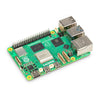



The Raspberry Pi 5 is available in multiple RAM variants. There is a significant price difference between low-capacity and high-capacity models—for example, the 2GB model is more affordable, while the 8GB one costs much more. Unfortunately, some unscrupulous sellers swap the RAM modules of low-capacity models to pass them off as high-capacity ones for illegal profits. To avoid being scammed, here are two simple ways to verify the factory original RAM size of your Raspberry Pi 5:

Raspberry Pi official has released professional table information for us to distinguish, including Model, RAM Size, Manufacturer, etc.
Table :
| Code | Model | Revision | RAM | Manufacturer |
|---|---|---|---|---|
|
900021 |
A+ |
1.1 |
512 MB |
Sony UK |
|
900032 |
B+ |
1.2 |
512 MB |
Sony UK |
|
a01040 |
2B |
1.0 |
1 GB |
Sony UK |
|
a01041 |
2B |
1.1 |
1 GB |
Sony UK |
|
a21041 |
2B |
1.1 |
1 GB |
Embest |
|
a02042 |
2B (with BCM2837) |
1.2 |
1 GB |
Sony UK |
|
a22042 |
2B (with BCM2837) |
1.2 |
1 GB |
Embest |
|
900061 |
CM1 |
1.1 |
512 MB |
Sony UK |
|
a02082 |
3B |
1.2 |
1 GB |
Sony UK |
|
a22082 |
3B |
1.2 |
1 GB |
Embest |
|
a32082 |
3B |
1.2 |
1 GB |
Sony Japan |
|
a52082 |
3B |
1.2 |
1 GB |
Stadium |
|
a22083 |
3B |
1.3 |
1 GB |
Embest |
|
900092 |
Zero |
1.2 |
512 MB |
Sony UK |
|
920092 |
Zero |
1.2 |
512 MB |
Embest |
|
900093 |
Zero |
1.3 |
512 MB |
Sony UK |
|
920093 |
Zero |
1.3 |
512 MB |
Embest |
|
a020a0 |
CM3 |
1.0 |
1 GB |
Sony UK |
|
a220a0 |
CM3 |
1.0 |
1 GB |
Embest |
|
9000c1 |
Zero W |
1.1 |
512 MB |
Sony UK |
|
a020d3 |
3B+ |
1.3 |
1 GB |
Sony UK |
|
a020d4 |
3B+ |
1.4 |
1 GB |
Sony UK |
|
9020e0 |
3A+ |
1.0 |
512 MB |
Sony UK |
|
9020e1 |
3A+ |
1.1 |
512 MB |
Sony UK |
|
a02100 |
CM3+ |
1.0 |
1 GB |
Sony UK |
|
a03111 |
4B |
1.1 |
1 GB |
Sony UK |
|
b03111 |
4B |
1.1 |
2 GB |
Sony UK |
|
c03111 |
4B |
1.1 |
4 GB |
Sony UK |
|
b03112 |
4B |
1.2 |
2 GB |
Sony UK |
|
c03112 |
4B |
1.2 |
4 GB |
Sony UK |
|
b03114 |
4B |
1.4 |
2 GB |
Sony UK |
|
c03114 |
4B |
1.4 |
4 GB |
Sony UK |
|
d03114 |
4B |
1.4 |
8 GB |
Sony UK |
|
b03115 |
4B |
1.5 |
2 GB |
Sony UK |
|
c03115 |
4B |
1.5 |
4 GB |
Sony UK |
|
d03115 |
4B |
1.5 |
8 GB |
Sony UK |
|
902120 |
Zero 2 W |
1.0 |
512 MB |
Sony UK |
|
c03130 |
400 |
1.0 |
4 GB |
Sony UK |
|
a03140 |
CM4 |
1.0 |
1 GB |
Sony UK |
|
b03140 |
CM4 |
1.0 |
2 GB |
Sony UK |
|
c03140 |
CM4 |
1.0 |
4 GB |
Sony UK |
|
d03140 |
CM4 |
1.0 |
8 GB |
Sony UK |
|
b04170 |
5 |
1.0 |
2 GB |
Sony UK |
|
c04170 |
5 |
1.0 |
4 GB |
Sony UK |
|
d04170 |
5 |
1.0 |
8 GB |
Sony UK |
|
b04171 |
5 |
1.1 |
2 GB |
Sony UK |
|
c04171 |
5 |
1.1 |
4 GB |
Sony UK |
|
d04171 |
5 |
1.1 |
8 GB |
Sony UK |
|
e04171 |
5 |
1.1 |
16 GB |
Sony UK |
|
b04180 |
CM5 |
1.0 |
2 GB |
Sony UK |
|
c04180 |
CM5 |
1.0 |
4 GB |
Sony UK |
|
d04180 |
CM5 |
1.0 |
8 GB |
Sony UK |
|
e04180 |
CM5 |
1.0 |
16 GB |
Sony UK |
|
d04190 |
500 |
1.0 |
8 GB |
Sony UK |
|
e04190 |
500+ |
1.0 |
16 GB |
Sony UK |
|
b041a0 |
CM5 Lite |
1.0 |
2 GB |
Sony UK |
|
c041a0 |
CM5 Lite |
1.0 |
4 GB |
Sony UK |
|
d041a0 |
CM5 Lite |
1.0 |
8 GB |
Sony UK |
|
e041a0 |
CM5 Lite |
1.0 |
16 GB |
Sony UK |
PS: Please refer to the table above at New-style revision codes in use
We can obtain the Revision code by executing commands, thereby identifying the real information of the motherboard you are using.
Method 1:
1. Start the Raspberry Pi motherboard, then open the terminal and run:
$ vcgencmd otp_dump | grep 32
2. Possible output results are shown below:
32:00c04170

Then, use the obtained Revision code (00c04170) to look up the information in the table to get the current motherboard information.
Method 2:
1. Run the following command in the terminal:
$ cat /proc/cpuinfo | grep Revision
2. Possible output results are shown below:
Revision: c03111
Then, use the obtained Revision code (c03111) to look up the information in the table.
Method 3:
Power on the Raspberry Pi without an SD card, and the factory RAM capacity will show on the connected screen during boot.

By using either of the above methods, you can quickly confirm the factory RAM size of your Raspberry Pi 5 and avoid counterfeit units.