




Display Adapter Series
Display Adapter Selection Table
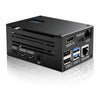
Nine Geekworm display adapters. Every board uses HDMI as its common interface, grouped by signal direction: into HDMI, out of HDMI to a panel, and one LVDS source split to several. Read across — function, use case, key specs, cable, combination — to see whether a board fits your chain.
This page is an overview only. It gives you a rough picture of each board. Whether a product actually meets your requirement still depends on reading its full product page.
ModelProduct Link |
Function |
Use Case |
Key Specsresolution · power · audio |
Cable Included |
Combinations & Limits |
Wiki |
|---|---|---|---|---|---|---|
A · Signal → HDMI: bring a non-HDMI source onto an HDMI display |
||||||
LVDS2HD30-pin FI-X30; 6 / 8 / 10-bit; Configured by solder pads |
LVDS→HDMI |
Laptop and industrial LVDS panels; the original 30-pin panel cable plugs straight in |
≤ 1920×1200 (150 MHz); 6 / 8 / 10-bit depth; 5V via panel cable; only I2S / SPDIF audio |
Yes 22 cm LVDS cable |
Alternative to V1.5 / V20, not a companion: same signal direction, pick one | LVDS2HD |
LVDS to HDMIV1.5 or V20; 8-bit only; Not interchangeable — if V20 already works, stay on V20 |
LVDS→HDMI |
AtGames Legends Pinball monitor swap; LVDS panels to HDMI |
≤ 1920×1200 8-bit only (Single 8 / Dual 8); 5–12V via the LVDS cable |
Yes 25 cm LVDS cable |
Alternative to LVDS2HD; Single 8 / Dual 8 and VESA / JEIDA are both set by jumper caps | LVDS Adapter |
EDP to HDMIS.EDP-HDMI-4K2K.V1.3 |
eDP→HDMI |
Advertising players, conference systems, set-top boxes |
30-pin · 2-lane — ≤ 4K@30Hz or 1080P 40-pin · 4-lane — 4K@60Hz 5–12V via the eDP panel cable; Audio not stated |
No board only |
Pick the port first: 30-pin tops out at 4K@30, 40-pin reaches 4K@60 | EDP to HDMI Adapter |
VX1UHDV-by-One to HDMI 2.0 |
V-by-One→HDMI | Reusing a TV mainboard with a cracked panel | 4K@60 (no scaling) 10V / 12V (via 51-pin cable) No audio |
Yes Type A, B and C 51-pin cables, one each |
Downstream display must accept HDMI 2.0 4K input — there is no downscaler | VX1UHD |
MIPI2HD01MIPI DSI / CSI to HDMI |
MIPI DSI/CSI→HDMI | Embedded boards and custom MIPI panels on a standard HDMI monitor |
4K@30 / 1080P / 720P 5V only (over-voltage is fatal); Analogue stereo input |
Yes 40-pin FFC cable |
4K@30 input requires CSI + YUV422; no companion board documented | MIPI2HD01 |
RGB2HD0450-pin FFC input |
RGB888→HDMI |
7 / 9 / 10-inch industrial panels to HDMI; control-panel retrofits |
Output = input resolution (no scaling); I2S digital audio |
Yes 50-pin FFC cable, 5 cm |
Downstream display must accept that non-standard resolution; no companion board documented | RGB2HD04 |
B · HDMI → Panel: push an HDMI source to a panel, or split it in two |
||||||
HDMI to LVDS / TTLRGB or LVDS output, selectable |
HDMI→LVDS / TTL RGB | HDMI sources driving LVDS panels or bare TTL panels |
Input 720P–4K@30 (no scaling) |
Yes |
Bare RGB panels also need VGH / VGL / AVDD / VCOM supplied externally | HDMI to LVDS |
4K HDMI Splicer1 in 2 out, split or copy |
HDMI→2× HDMI |
Dual displays showing the same content; or 3840×1080 cut into two 1080P halves |
Split mode: 3840×1080@60 → 2× 1080P; Copy mode: 1920×1080 → 2× 1080P |
No board only; metal case version optional |
On-board switch toggles split / copy; left-right split only, no top/bottom | 4K Splicer |
C · LVDS Fan-out LVDS: stage only, outside the HDMI chain |
||||||
QK-6M35BLVDS Signal Splitter |
LVDS→2–3× LVDS |
Multi-screen mirroring, advertising displays, production-line panel testing |
- |
No board only; recommended to buy with the LVDS Cable |
LVDS stage only; cannot follow an HDMI output | Signal Distributor |
Not stated = not published in the official product data; confirm before ordering, nothing here is assumed. Bandwidth and resolution figures are manufacturer ratings; actual results depend on source and panel.
Two LVDS → HDMI boards: which one
Same signal direction, different trade-offs. Pick on how you configure it, how deep the colour is, and where the power comes from.
| LVDS2HD | LVDS to HDMI V1.5 / V20 | |
|---|---|---|
| Configuration | Solder pads and pull-down resistors — set once, needs a soldering iron | Jumper caps — controls both mode switches, re-set in place |
| Colour depth | 6 / 8 / 10-bit; 10-bit runs over the optional 36-pin dual-link input | 8-bit only (Single 8 / Dual 8) |
| Power | 5V only, through the panel cable — 12V will damage it | 5–12V via the LVDS cable |
Before You Order
Every board in this series is a DIY product. Compatibility cannot be guaranteed in advance. These seven points account for most after-sales issues.
- Most boards do not scale. RGB888→HDMI, HDMI→LVDS and VX1UHD output exactly what they receive. If the downstream display cannot take that resolution, the screen stays black. Match resolution first.
- Never mix supply voltages. LVDS2HD and MIPI2HD01 are 5V only — 12V will destroy them. VX1UHD is powered through the 51-pin cable and needs no external supply.
- Two LVDS settings must both match. Single 8 / Dual 8 and VESA / JEIDA are set separately: jumper caps on V1.5 / V20, on-board resistors on LVDS2HD. Power off before changing, then power on to apply. V1.5 and V20 use different jumper labels and positions.
- Colour shift, garbled image, no signal or no sound: check EDID and signal format first, before blaming the board. Differences in how source boards and panels handle EDID are the usual cause.
- Audio is not universal. VX1UHD has no audio output. Audio input differs across the series — I2S, SPDIF, analogue, 3.5 mm — so wire per board.
- Not recommended with 4K TVs. LVDS boards have known compatibility issues with 4K TVs. Use an LVDS source driver board of V59 grade or above.
- Chaining two boards has not been verified. No pair in this series has been tested in series. The combinations and limits shown above state documented relationships and signal-domain limits only — they are not a wiring recommendation. Verify resolution, EDID and power yourself before buying two boards for one chain.